More Machines, Less Money: The Scaling Illusion That's Costing Print Shops Their Margins
There's a moment every growing print shop owner knows well. Orders are stacking up, lead times are slipping, and the solution seems obvious: buy another printer. Maybe two. The logic feels airtight — more machines mean more output, more output means more revenue, more revenue means more profit. Clean, simple, done.
Except it rarely works out that way.
For a surprising number of American makers, doubling or even tripling their printer fleet has resulted in lower per-unit profitability, not higher. The machines hum. The build plates fill up. And somehow, at the end of the month, the numbers look worse than before. What's going on?
The answer, it turns out, almost never lives on the build plate.
The Bottleneck You're Not Looking At
When shop owners audit their actual production timelines — not the ones they imagine, but the real ones tracked hour by hour — a consistent pattern emerges. Print time is rarely the constraint. The constraint is everything that happens after the print finishes.
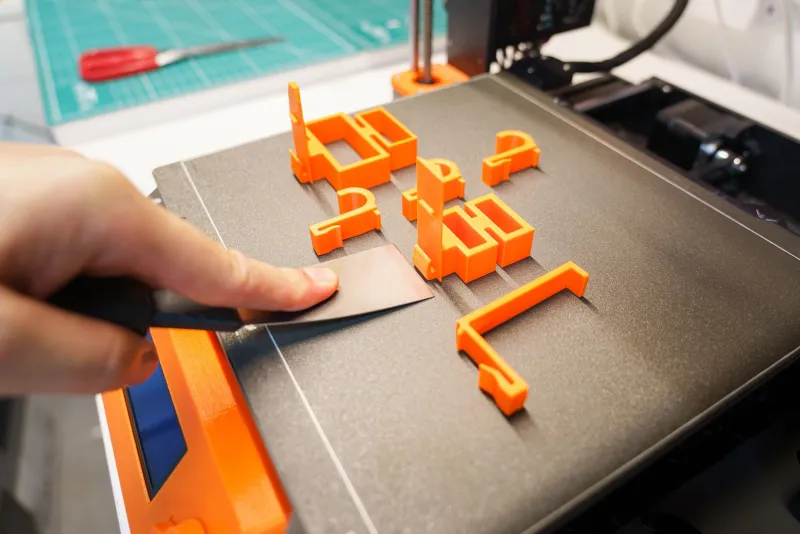
Support removal. Sanding. Priming. Painting. Assembly. Quality inspection. Packaging. Customer communication. These steps don't scale automatically when you add hardware. They scale when you add people and process. And people and process cost money in ways that a printer purchase conveniently doesn't force you to confront upfront.
Dave Kowalski, who runs a mid-sized functional parts shop out of Columbus, Ohio, learned this after purchasing three additional FDM machines in a single quarter. "I thought I was buying capacity," he said. "What I actually bought was a backlog. The prints came off the machines faster than my two-person finishing team could handle them. Parts sat in bins. Customers got annoyed. I was paying for electricity and machine time to create a pile of unfinished inventory."
His per-unit cost went up because labor hours — the expensive, human kind — didn't scale with the purchase order.
Where the Real Labor Hours Are Hiding
Let's get specific, because vague warnings about "workflow" don't help anyone price a job.
Post-processing is the most commonly underestimated labor sink in additive manufacturing. Depending on your material and application, finishing work can easily consume two to four times as many labor hours as the print itself. Resin parts need washing and curing. FDM parts need support cleanup, surface finishing, and often priming before they're customer-ready. Even "production-grade" prints destined for functional use require inspection, dimensional verification, and documentation if you're serving any kind of regulated or commercial market.
Quality control is the second big one. As your volume increases, the statistical likelihood of a bad print also increases. Without a structured QC process, bad parts don't get caught early — they get caught by the customer. That means reprints, refunds, and reputation damage that no additional printer can fix.
The third hidden cost is coordination overhead. More machines mean more job scheduling, more material management, more maintenance windows, and more opportunities for things to fall through the cracks. If you're still running your shop on a whiteboard and a group text, adding machines doesn't multiply your output — it multiplies your chaos.
The Shops That Figured It Out
The good news is that plenty of American makers have been through this cycle and come out the other side with smarter operations.
Lisa Tran, who operates a design-forward print studio in Austin, Texas, hit a wall at five machines before she stopped adding hardware entirely and spent three months restructuring her post-processing workflow instead. She built dedicated finishing stations, created standardized QC checklists for every material type she ran, and cross-trained her staff so no single person was a bottleneck in the finishing chain.
"I basically froze my machine count and focused entirely on throughput efficiency," she explained. "By the time I was done, I had more effective capacity than if I'd just bought two more printers. And my margins actually recovered because I stopped hemorrhaging labor hours."
Her advice to other shop owners is blunt: map your actual production time before you spend a dollar on new hardware. If post-processing is consuming more than 40% of your total job time, you don't have a capacity problem — you have a workflow problem. And a new printer won't touch it.
How to Diagnose Before You Buy
If you're feeling the pull to expand your fleet, here's a practical framework to run first.
Time-track a representative week. Log actual hours across every stage of production: file prep, slicing, print time, post-processing, QC, and fulfillment. Most shop owners are genuinely shocked by what they find.
Calculate your true cost per part. Include labor at a realistic hourly rate — not what you're paying yourself in a pinch, but what it would cost to hire someone to do each task. Factor in materials, machine depreciation, and overhead. If that number is creeping up as volume increases, you're scaling inefficiency, not efficiency.
Identify your actual constraint. Is the printer sitting idle while parts wait for finishing? That's a post-processing bottleneck. Are parts moving through quickly but QC failures are eating your margins? That's a quality control problem. Solve the real constraint before you add more input to the system.
Model the alternative investment. What would the cost of a dedicated finishing technician, a tumbler, an automated washing station, or a structured QC process do for your throughput compared to another printer? Often, the ROI on process infrastructure beats the ROI on hardware.
The Machine Is the Easy Part
There's a reason printer manufacturers have perfected the art of making hardware purchases feel like solutions. The machines are genuinely impressive, the specs are easy to compare, and clicking "add to cart" feels decisive. Process improvement is messier. It requires you to look honestly at how your shop actually runs, not how you imagine it runs — and that's uncomfortable.
But the makers who are building durable, profitable businesses in American additive manufacturing aren't necessarily the ones with the most machines. They're the ones who understand that the printer is just the front end of a much longer production chain — and that optimizing the whole chain is where the real money lives.
Before you pull the trigger on that next machine, spend a week auditing what's already happening downstream. You might find that the capacity you're looking for was buried in your finishing room the whole time.